It was a Saturday night during the pandemic
I sat down at my desk and was greeted with a strange message on my web browser.
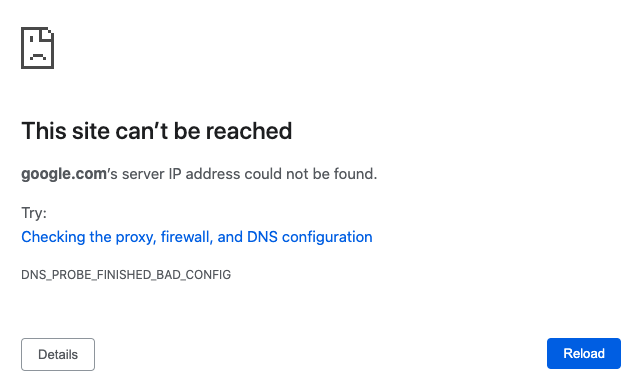
DNS_PROBE_FINISHED_BAD_CONFIG is the error message. Oh no, DNS. Lets check the wireless settings.
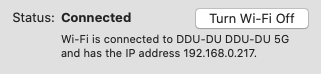
Looks fine. I grab my phone and disable my cell service data plan. Seems to work fine. I grab my work laptop and try it as well. Same error as my personal laptop. I try to connect to the work VPN. This seems to be working. I go to www.google.com and it succeeds! What is going on?
I restart my router a couple of times. Doesn’t seem to fix it.
I call WaveG to see if something weird happened to the account. This error message started appearing roughly around when we had scheduled the cancellation of our internet services at the end of this month. On the call, the support agent and I troubleshoot for a few minutes (more power cycling) before the support agent suggests sending a technician to come in 2 weeks. I work from home during this pandemic so 2 weeks without internet access isn’t going to work.
Debugging time
ARGH. Well I am a Software Engineer…alright time to debug this myself.
I start googling on my phone. Luckily still have mobile data.
Lets start with a nslookup.
$ nslookup google.com
;; connection timed out; no servers could be reached
Interesting, this seems like it could be a problem with the DNS server. Lets take a look at that.
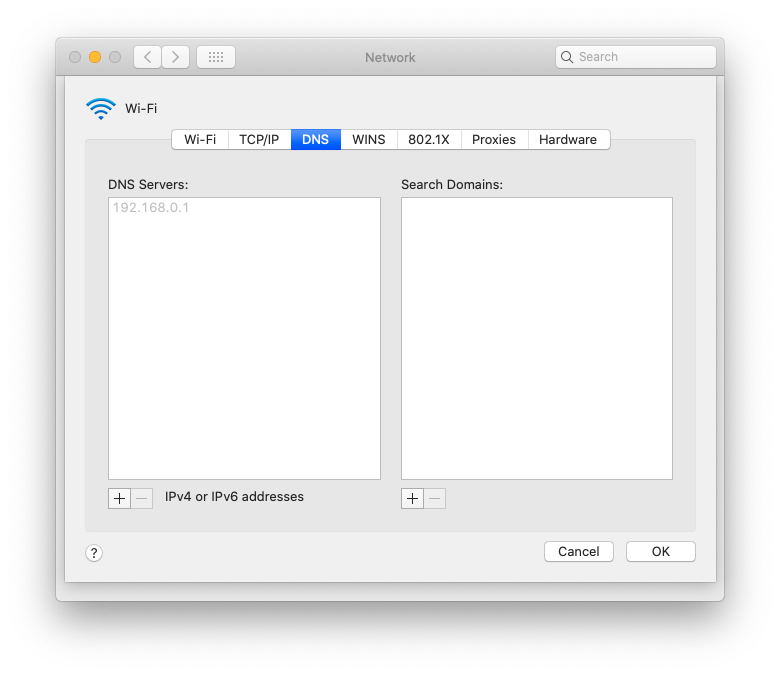
Another command we can use to get the same information is ipconfig getoption en0 domain_name_server.
The next thing Google says to check is the /etc/resolv.conf file.
$ cat /etc/resolv.conf
#
# macOS Notice
#
# This file is not consulted for DNS hostname resolution, address
# resolution, or the DNS query routing mechanism used by most
# processes on this system.
#
# To view the DNS configuration used by this system, use:
#   scutil --dns
#
# SEE ALSO
#   dns-sd(1), scutil(8)
#
# This file is automatically generated.
#
nameserver 192.168.0.1
The instructions in this file say to run scutil --dns so lets do that
...
DNS configuration (for scoped queries)

resolver #1
  nameserver[0] : 192.168.0.1
  if_index : 4 (en0)
  flags    : Scoped, Request A records
  reach    : 0x00020002 (Reachable,Directly Reachable Address)
This claims to be reachable. Lets try to ping it.
$ ping 192.168.0.1
PING 192.168.0.1 (192.168.0.1): 56 data bytes
64 bytes from 192.168.0.1: icmp_seq=0 ttl=64 time=2.051 ms
64 bytes from 192.168.0.1: icmp_seq=1 ttl=64 time=2.075 ms
64 bytes from 192.168.0.1: icmp_seq=2 ttl=64 time=1.823 ms
64 bytes from 192.168.0.1: icmp_seq=3 ttl=64 time=2.121 ms
64 bytes from 192.168.0.1: icmp_seq=4 ttl=64 time=1.599 ms
64 bytes from 192.168.0.1: icmp_seq=5 ttl=64 time=1.799 ms
^C
--- 192.168.0.1 ping statistics ---
6 packets transmitted, 6 packets received, 0.0% packet loss
round-trip min/avg/max/stddev = 1.599/1.911/2.121/0.186 ms
Definitely reachable.
I can also go to 192.168.0.1 in the browser and it brings me to the router configuration portal. Good that I can at least access that.
I did a little bit more Googling and saw that a solution that had worked for others is to use Google’s public DNS servers in your Mac settings instead of the ones that are provided by the DHCP server at 192.168.0.1. Google’s public DNS server IP is 8.8.8.8.
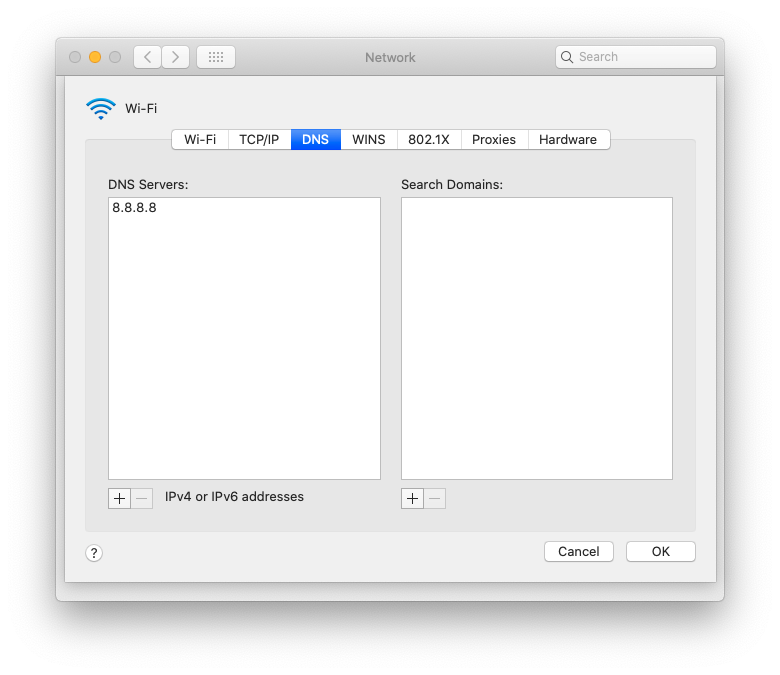
This seems to do the trick. I can connect to the internet again! I guess I can cancel that technician visit in 2 weeks and will be able to work from home.
Problem solved. Why did it happen?
This is a little bit annoying though. I will need to make this change on my work laptop and any other (Apple?) devices joining the network. I decided to do a little bit more research.
It seems like the router is acting as a DNS forwarder. I log into the router web config portal and take a look at the Internet Network settings. My router is a tp-link Archer A7 v5.0.
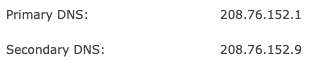
Interesting, let me skip 192.168.0.1 and try to set the DNS servers directly as 208.76.152.1 and 208.76.152.9. The configuration page says that these DNS servers are grabbed dynamically from my ISP. WaveG.
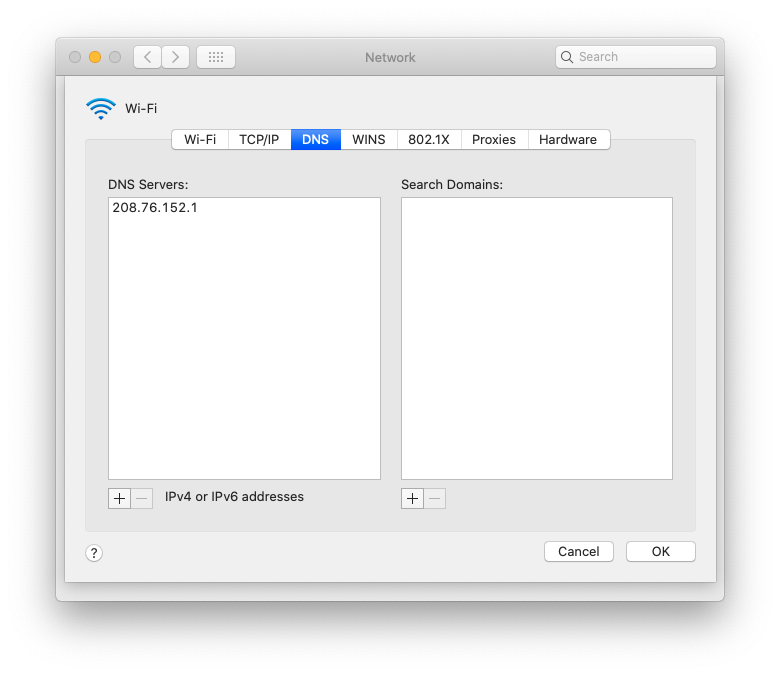
$ ping google.com
ping: cannot resolve google.com: Unknown host
Can’t ping google.com using the primary DNS server.
Alright, well if the primary server isn’t working, I am assuming the secondary probably isn’t working either since my computer would have fallen back to it. Lets give it a shot just to rule it out.
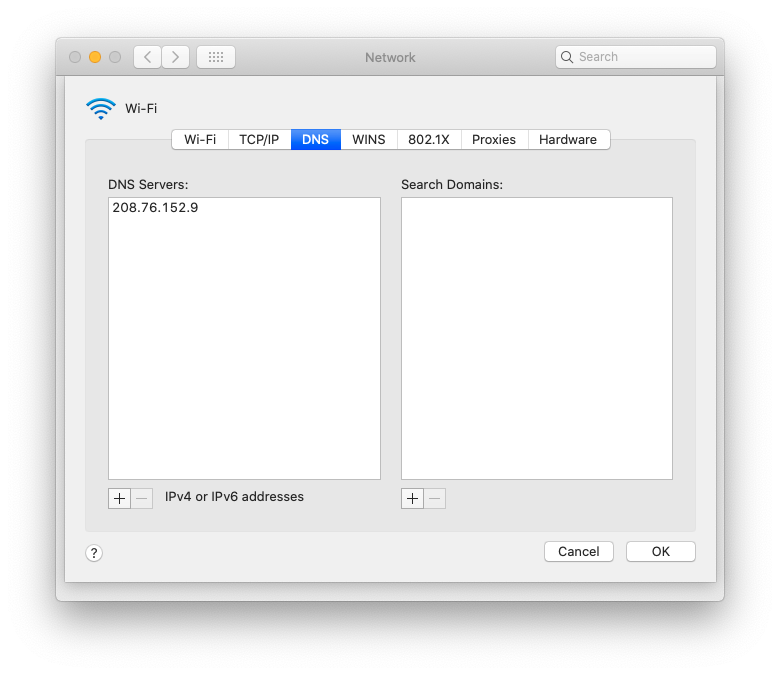
$ ping google.com
PING google.com (172.217.14.206): 56 data bytes
64 bytes from 172.217.14.206: icmp_seq=0 ttl=119 time=2.651 ms
64 bytes from 172.217.14.206: icmp_seq=1 ttl=119 time=2.819 ms
64 bytes from 172.217.14.206: icmp_seq=2 ttl=119 time=3.755 ms
^C
--- google.com ping statistics ---
3 packets transmitted, 3 packets received, 0.0% packet loss
round-trip min/avg/max/stddev = 2.651/3.075/3.755/0.486 ms
The secondary DNS server works! Why? Shouldn’t my Macbook be able to fallback to this secondary DNS server?
My guess is that MacOS is not handling the secondary DNS server configuration from the router while my Android phone and Echo are.
Making the secondary DNS server the primary
I reset my Mac DNS server to 192.168.0.1 and flipped the primary and secondary DNS servers on the router configuration page.
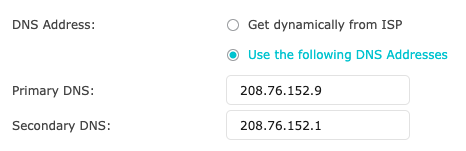
I check my work laptop. It can connect without a VPN and without changing the Mac DNS settings.
Nice! Now everyone can come over and connect to WaveG’s secondary DNS servers automatically with their Macbooks during this pandemic. Oh wait… the pandemic.